
Creative Analytics now makes asset-level results usable beyond the dashboard. Teams can connect delivery with downstream outcomes, watch the metrics that matter, and use the same reporting data in alerts, exports, internal tools, and AI assistants.
See what each asset spent and earned
Creative Analytics brings impressions, clicks, and spend together with available installs, purchases or conversions, revenue, and ROAS. Results keep their provider and outcome window attached, so D0, D1, D3, and D7 do not collapse into an unlabeled performance number.
Coverage depends on what each network makes available. Missing values stay unavailable instead of becoming zero, and unlike attribution windows remain separate.
For AppLovin, the asset report supplies asset-level delivery data, while advertiser reporting supplies conversion and revenue signals across D0, D1, D3, and D7. Lemon AI uses a proprietary machine-learning solution to estimate the missing outcomes for each asset. This capability is available to every Creative Analytics user with a supported AppLovin connection.
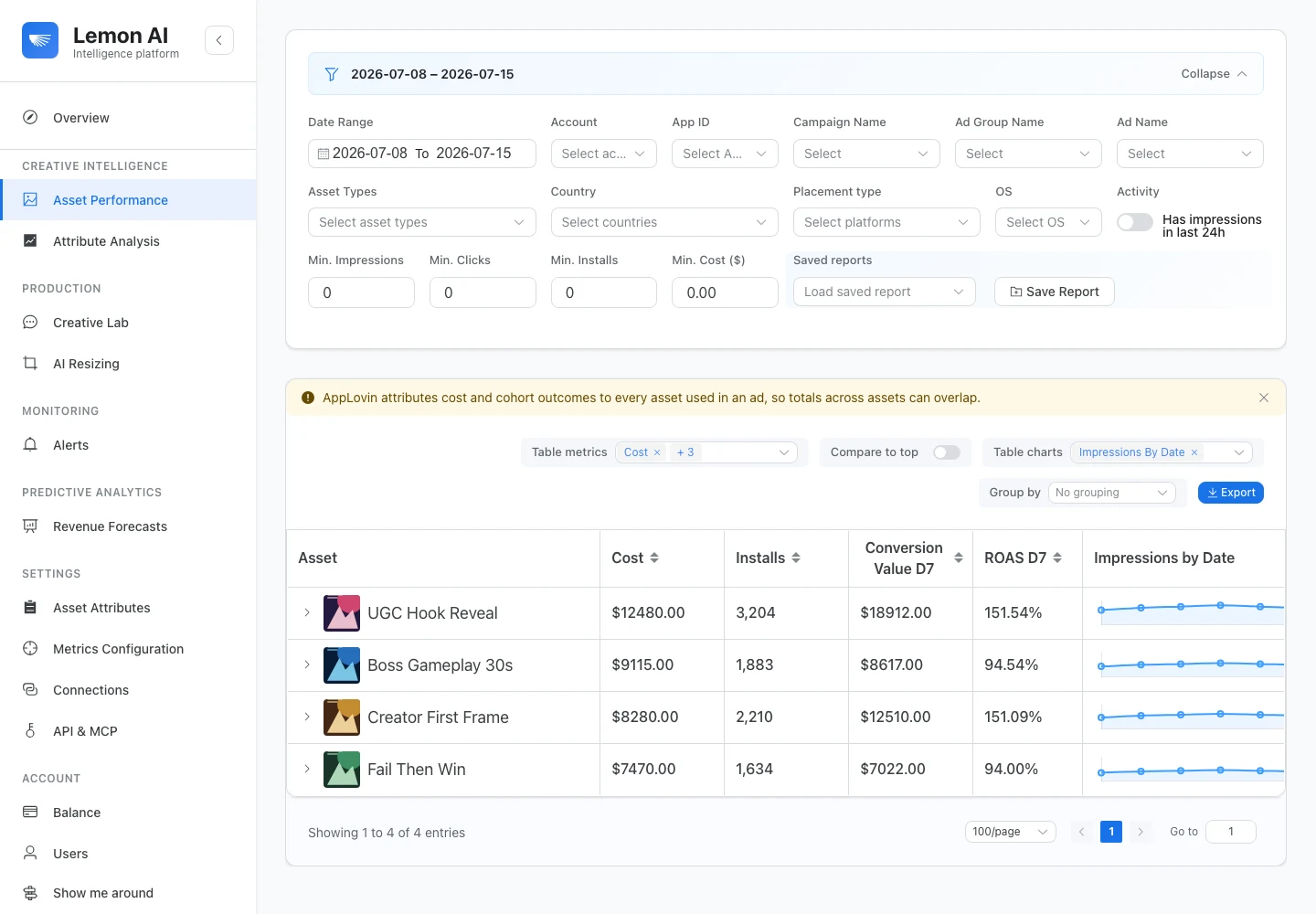
Asset Performance keeps AppLovin cost, installs, D7 conversion value, D7 ROAS, and daily trends together for each creative. Shown with fictional data. Open full-size image.
Those asset estimates are intended for comparing creatives. When an ad contains several assets, they should not be added together as if they were independent account totals. The asset-level ROAS audit explains the source, scope, maturity, aggregation, and decision checks behind that distinction.
Put the result where the team already works
Teams can configure performance targets and receive Creative Analytics alerts through Slack and Telegram. That makes a declining IPM, rising CPI, or falling ROAS visible without another round of dashboard checks.
The selected metric and attribution window stay attached to the alert. A D7 ROAS signal remains D7 ROAS when it reaches the channel.
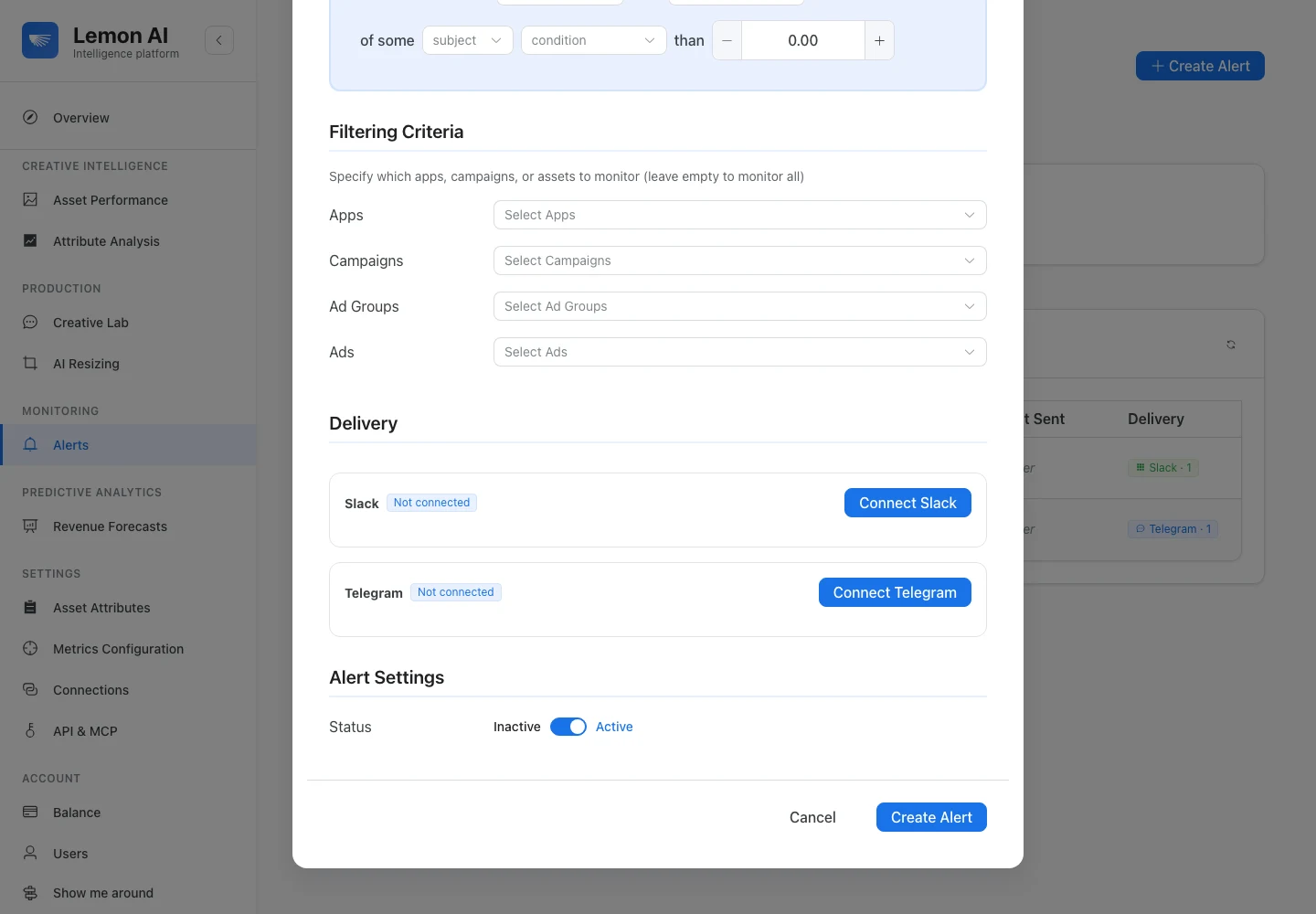
The alert editor can deliver the selected performance condition through Slack or Telegram. Shown with fictional data. Open full-size image.
Query reports without giving up account control
Creative Analytics results can also leave the dashboard through exports, a REST API, and an MCP server. Analysts can use the API in internal reporting workflows. Compatible AI assistants can use MCP to find creatives, rank performance, inspect an asset, and compare creative attributes.
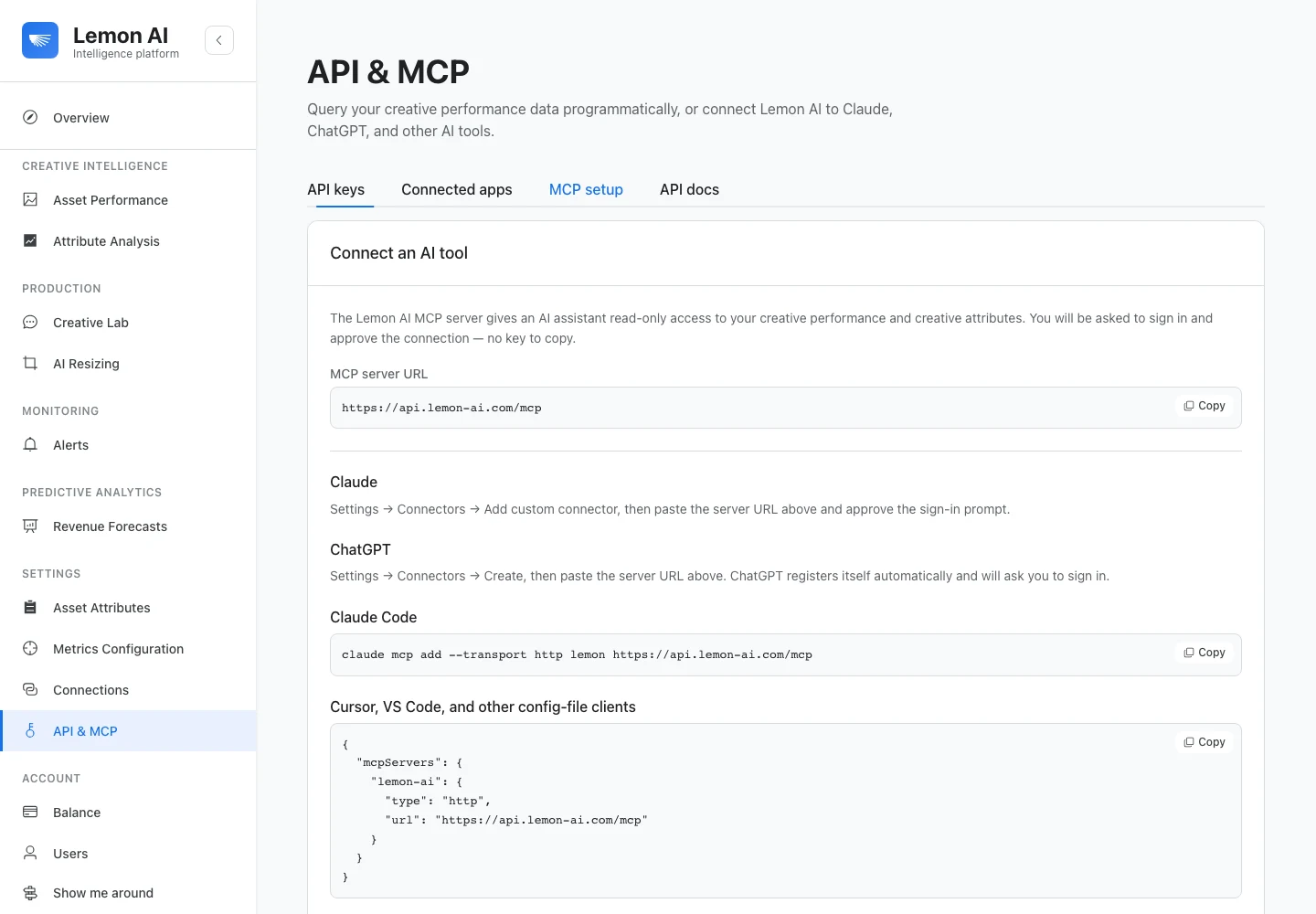
The API and MCP screen provides read-only connection instructions for supported AI tools and config-file clients. Shown with fictional data. Open full-size image.
Both interfaces are read-only. They can retrieve and analyze Lemon reporting data, but they cannot change bids, budgets, targeting, or campaigns. The Reports page documents the available reporting workflows and access boundary.
One reporting surface, several ways to act
These updates turn Creative Analytics into more than a ranked asset table. A team can inspect the outcome, receive the signal where it works, and send the same read-only evidence into its own reporting or AI workflow.
Open Creative Analytics to explore the visual workflow, or read the measurement methodology for Lemon’s approach to provenance, attribution windows, reconstruction, and non-additive asset rows.